Your ledger never leaves the phone.
Finance Tracker records expenses, income, and transfers across every account you keep — cash, banks, cards, savings, wallets, investments, loans — in a database that stays on your device.
Log
Record it before you pocket your phone
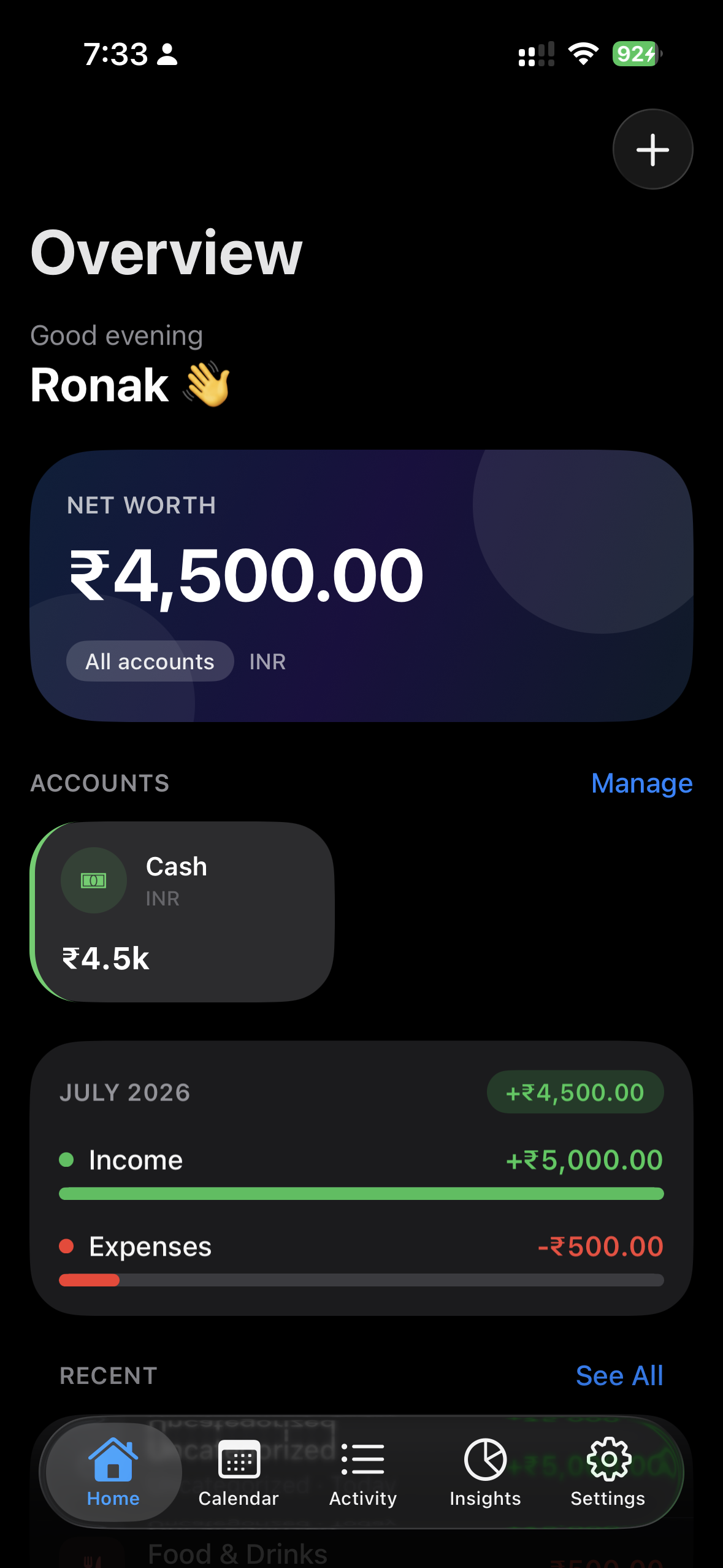
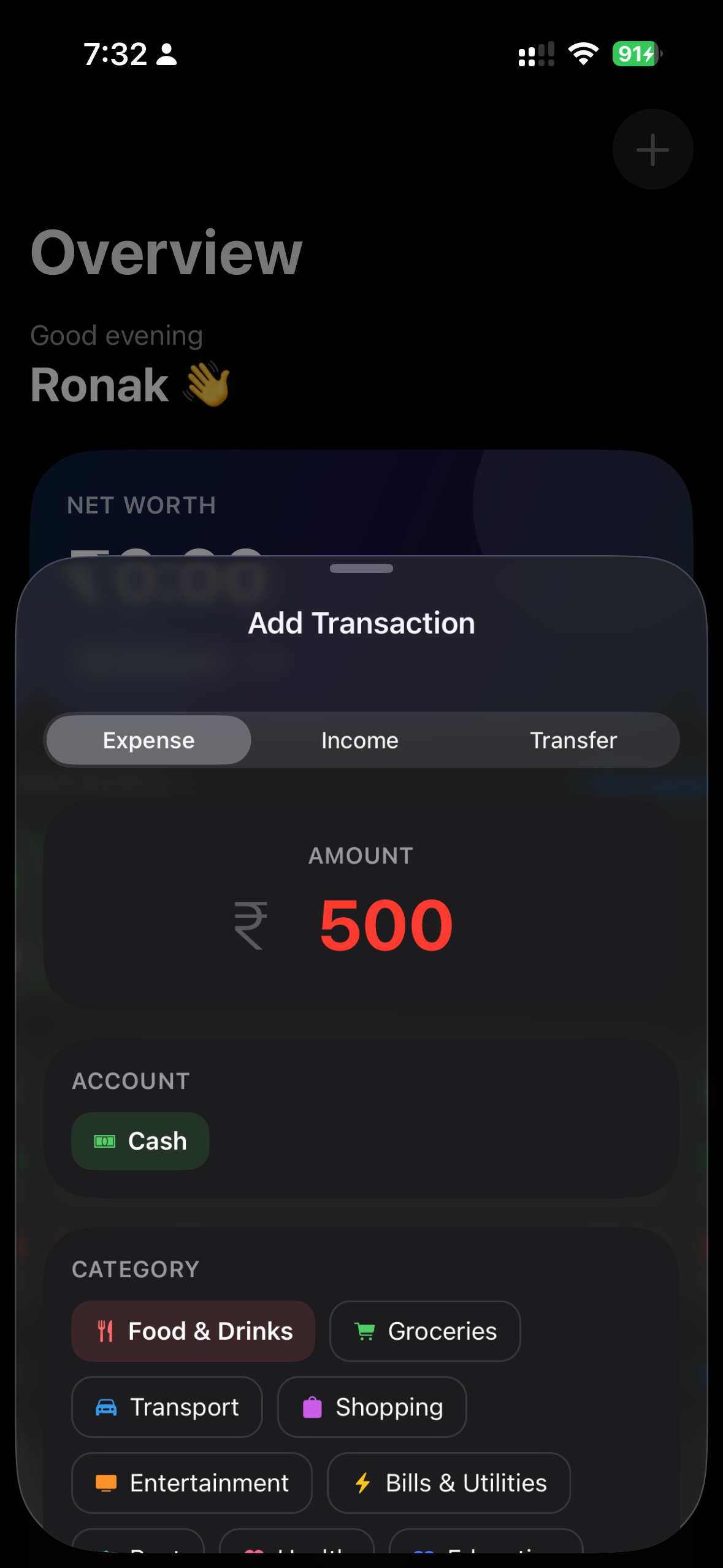
The add sheet opens on Expense with your first account already selected. Enter an amount, pick a category if you want one, add a payee or a note if it will matter later. Save, and your balances move immediately.
- Amount
- Decimal, in your default currency symbol.
- Account
- The first available account is preselected.
- Category
- Optional, filtered to expense or income.
- Payee
- Optional. A store, an employer, a person.
- Note
- Optional free text for later.
- Transfer
- Pick a source and a different destination.
Total
The number you actually want
Home opens on your combined balance across every account you keep, then the accounts themselves, this month's income against this month's spending, and the last five things you recorded.
Sample ledger — not real data
See
See the month the way you spent it
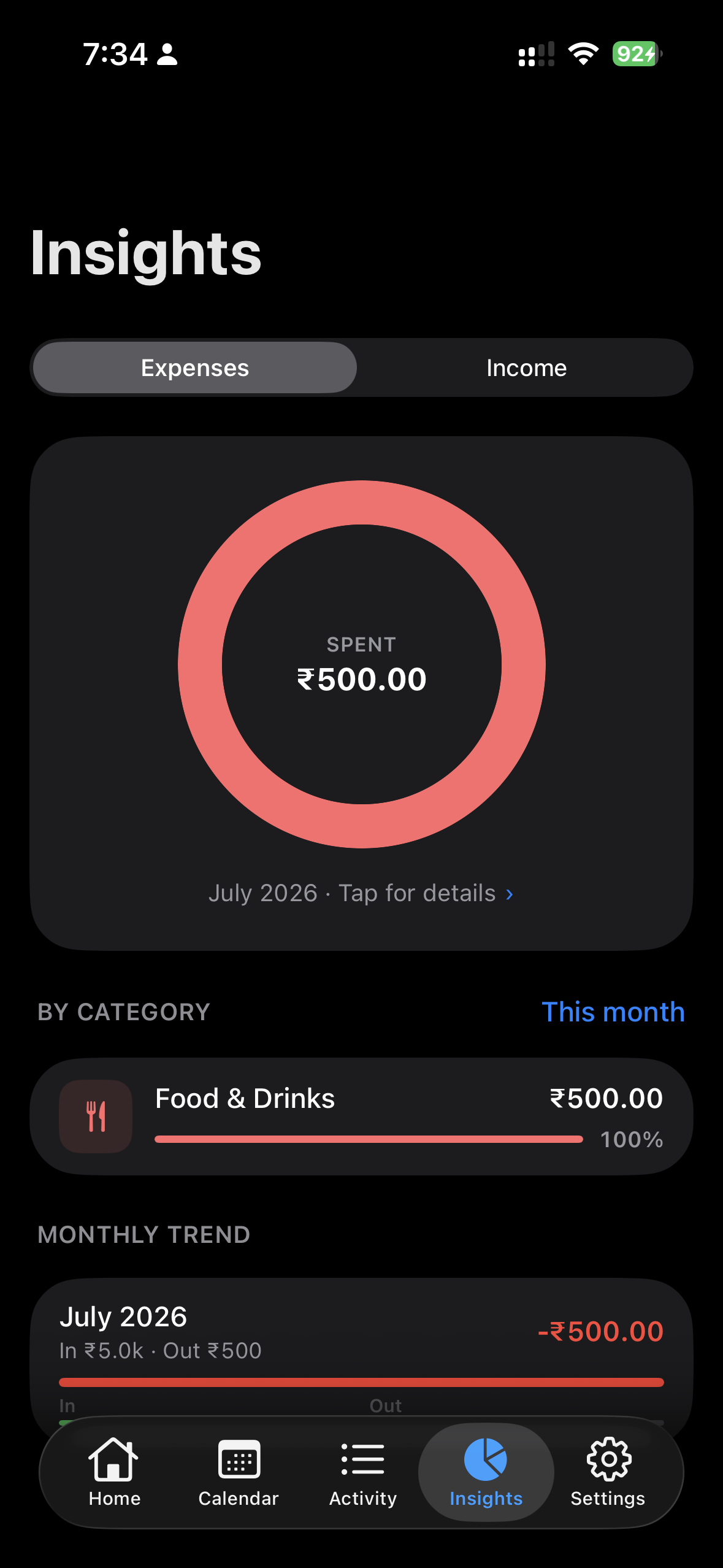
Every transaction lands on a calendar. Tap a day to open it, long-press to open its week, keep going to the month. Insights turns the same records into a breakdown you can actually argue with.
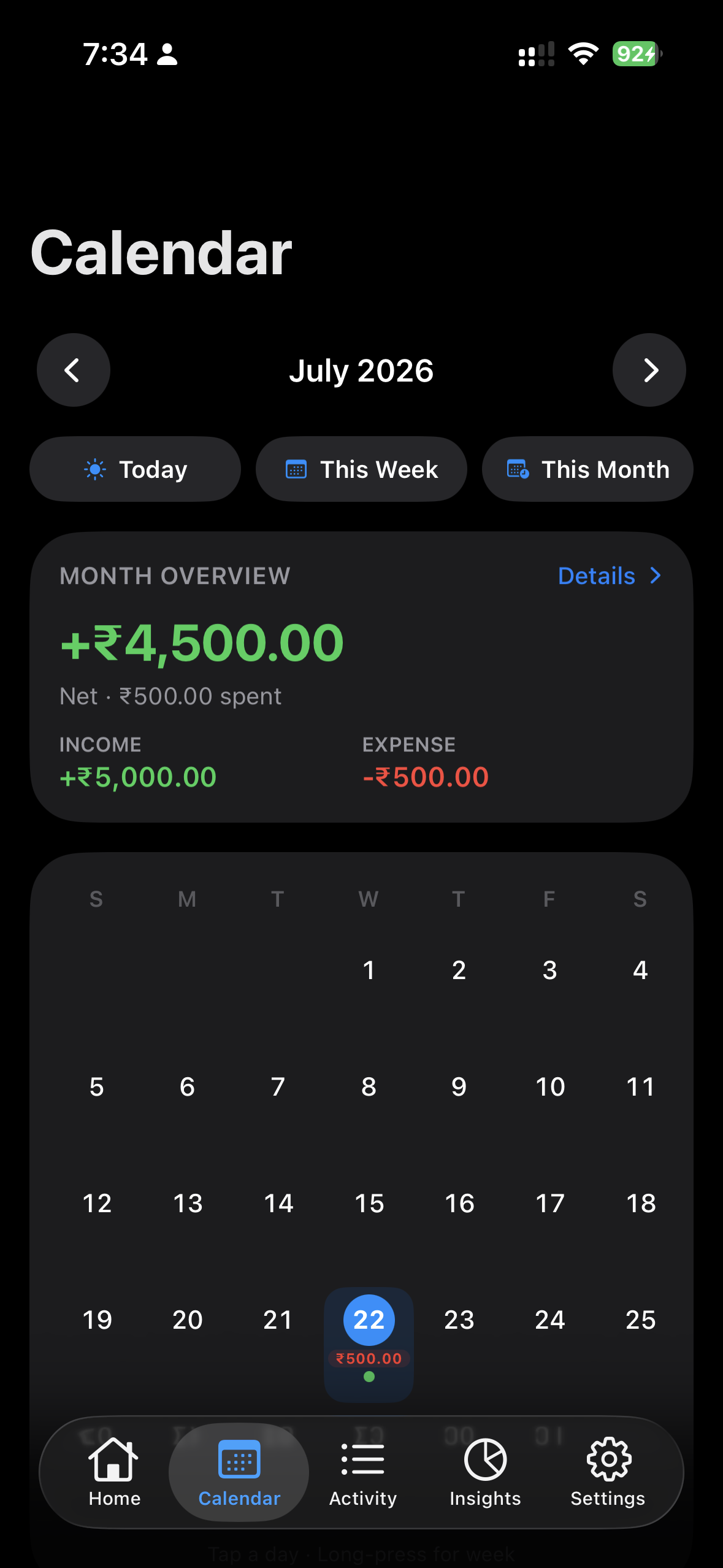
- Day
- Income, spending, category split, and a morning-to-night chart.
- Week
- Seven days of income against expense, side by side.
- Month
- Daily cash flow, leading categories, and your highest-spend days.
- Category
- Total, share, average per transaction, and a daily trend.
Portable
Your books leave when you say so
Export a backup and send it wherever you like through the normal share sheet. Coming from Wallet Manager, bring your history with you — you review currencies, accounts, categories and transactions, and choose what actually gets imported.
- Database backup
- A full SQLite
.dbfile for restoring or moving. - JSON backup
- Readable settings, accounts, categories and transactions.
- Wallet Manager import
- Reads
.db,.sqliteand.sqlbackups, and flags likely duplicates.
Exported files are not encrypted, and they contain your financial records. Where you send them is your decision to make carefully.
Lock
A lock on the drawer
Set a four-digit passcode and the app closes itself behind you.
- Passcode
- Stored as a salted hash in the device's secure storage.
- Biometrics
- Face or fingerprint unlock, once a passcode exists.
- Background lock
- Locks when the app goes fully to the background.
- Screen protection
- Covers the app switcher and blocks screenshots while locked.
These protect access to the app on your device. They are not a claim that the local database itself is encrypted — we would rather tell you exactly what you are getting.
Optional
If you want reminding
Optional and off until you turn them on: a daily nudge, a prompt when you haven't logged anything, a weekly summary, a monthly review, and an alert when a single expense goes over an amount you choose. All scheduled on the device.
Total: nothing.
Your transactions and balances stay on your device. There is no login, no bank connection, and nothing to sync.